
Two monitor quotes can include the same sensors and still buy very different bedside setups. One may stop at a boxed device. The other may include a mounting solution, network configuration and a documented handover. For a Ugandan ward manager, the fair comparison is the agreed working setup—not just the screen.
Start with one bed space and its workflow
Ask the clinical lead to define the required measurements and patient groups, then sketch where the monitor will sit, where staff will view it and how the bed moves. Record whether the requirement is standalone bedside monitoring or connection to an existing central system. Do not buy central connectivity simply because it appears on a brochure.
Our monitor accessory checklist covers cuffs, probes and cables. Use it alongside this installation comparison, rather than asking both bidders vaguely for a “complete set.”
Give every bidder the same scope sheet
Request an included, excluded or pending answer for each of these packages:
- Device: exact configuration, required measurement modules and confirmed software features.
- Physical installation: compatible mounting bracket or trolley, attachment hardware, cable management and installer responsibilities.
- Power: specified supply requirements, battery configuration where applicable and any separately required site work.
- Connectivity: compatible central-station version, network equipment, licences, configuration and technical ownership if requested.
- Handover: performance checks, user orientation, documentation and support arrangements.
A blank line is unresolved, not free. Ask for optional work to be priced separately and for any buyer-supplied items to be clearly named.
Treat network compatibility as a documented requirement
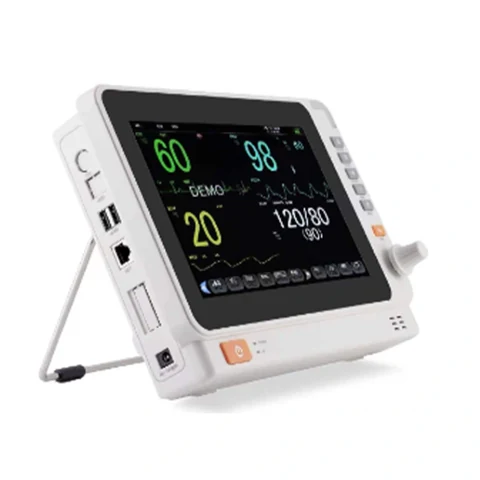
A network socket is not a promise that the monitor will communicate with your current central station. Ask the supplier to confirm the exact pairing, required versions and enabled functions. Manufacturer systems such as Mindray’s BeneVision CMS distinguish bedside devices, central stations and network architecture; those system details cannot be inferred from a monitor photograph.
Bring the facility’s IT and biomedical teams into the discussion before ordering networked equipment. Identify who will approve the network design, configure access and maintain the system. Manufacturer examples explain the questions to ask; they do not establish that an Exper catalogue monitor supports that platform.
Compare a realistic acceptance demonstration
For an illustrative four-bed purchase, one offer might include four monitors and another four monitors plus a central workstation. First decide whether central viewing is required. Then request comparable scopes rather than dividing both totals by four.
Agree a qualified, model-appropriate demonstration of the ordered functions, physical installation and any specified data connection. Keep simulation clearly separated from patient monitoring. Record unresolved functions and who will correct them before the facility authorises use; a visible waveform alone does not complete the handover.
Ask for an installed-package quotation
Send Exper your bed-space count, department, required parameters, mounting preference, delivery town and existing central-system details if relevant. Ask the team to confirm the supply and installation scope in writing through our patient monitor enquiry page. Confirm charges and timing for your order; payment is 100% before delivery.
Reference: Mindray BeneVision CMS system overview, reviewed 6 November 2026.
Contact +256 756 789 821 or info.brandexper@gmail.com. Ask for current availability and written terms; Exper requires 100% payment before delivery.